
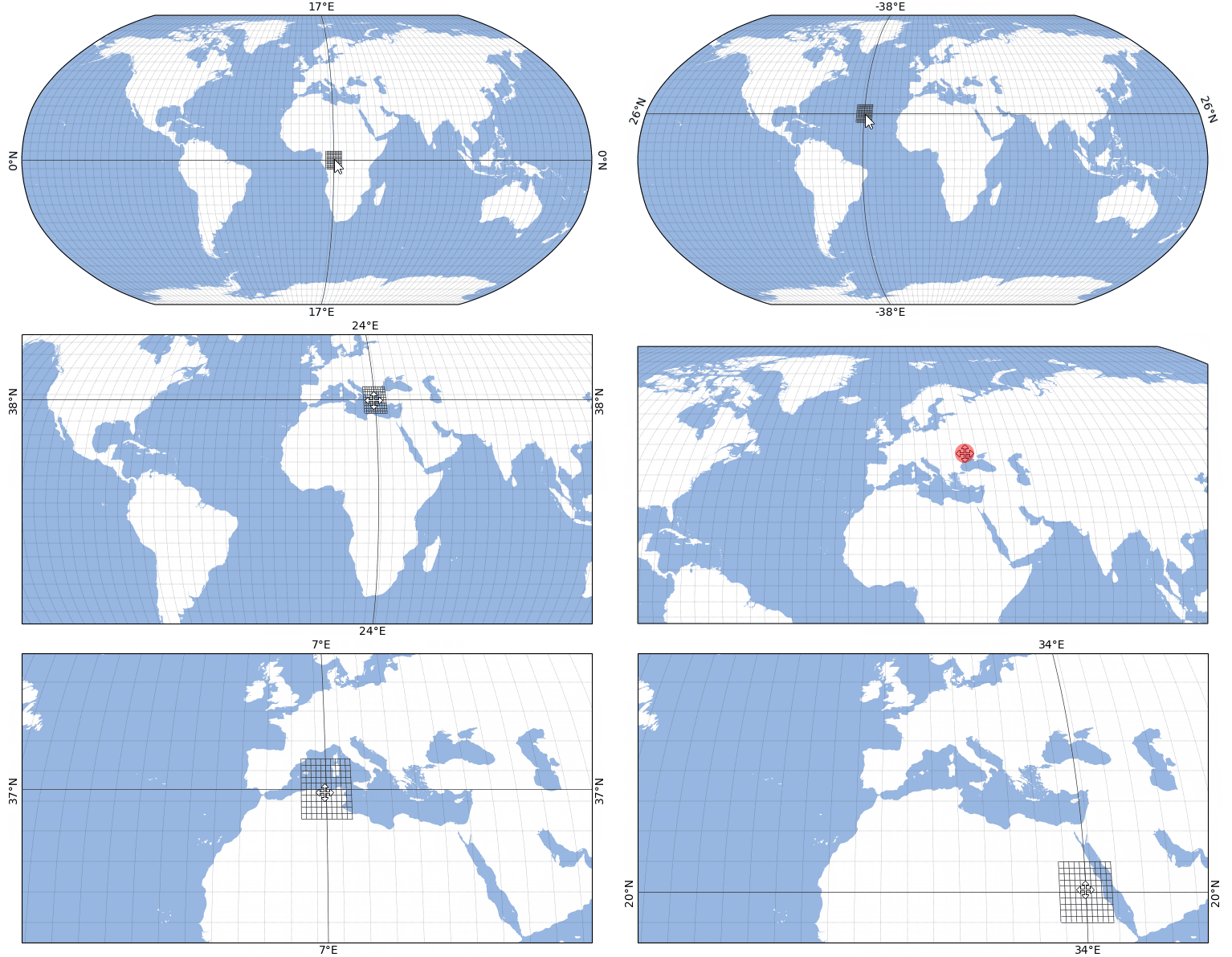
Location indicator - dynamically updated gridlines#
Example how to add a dynamically updated location-indicator to a map.
Add dynamically updated gridlines with
add_gridlines(..., dynamic=True).Use
transform_plot_to_lonlat()to transform plot-coordinates to longitude/latitude values.Use the
make_artists_temporary()contextmanager to remove all artists that are created within the context at the next move event.
(requires EOmaps >= v8.4)
from eomaps import Maps
import numpy as np

# create a new map
m = Maps(Maps.CRS.Robinson(), figsize=(8, 4))
m.add_feature.preset.ocean()
gl = m.add_gridlines(d=5, lw=0.25, ls=":")


def cb_location_indicator_grid(pos, **kwargs):
    """A (move) callback to add a dynamic location-indicator to the map."""
    lon, lat = map(round, m.transform_plot_to_lonlat(*pos))
    # get grid-values for +- 5°
    bounds = (lon - 5, lon + 5, lat - 5, lat + 5)
    lon_g, lat_g = np.linspace(*bounds[:2], 11), np.linspace(*bounds[2:], 11)

    with m.cb.move.make_artists_temporary():
        # add single gridline (with labels)
        m.add_gridlines(d=([lon], [lat]), labels=True, dynamic=True)
        # add bounded grid around intersection-point
        m.add_gridlines(d=(lon_g, lat_g), bounds=bounds, dynamic=True)


# attach the callback
m.cb.move.attach(cb_location_indicator_grid)

# execute move-callbacks also during pan/zoom
m.cb.move.set_execute_during_toolbar_action(True)